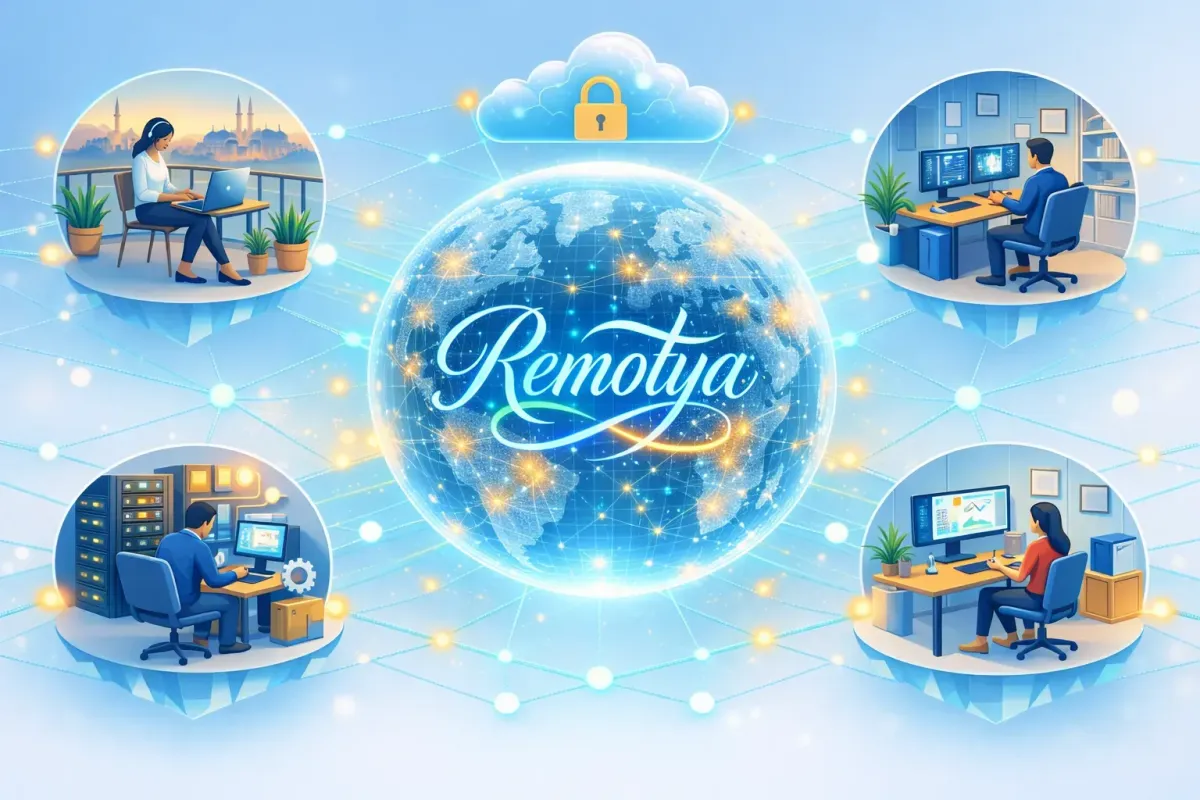
Proactive IT Support: Strategies to Minimize Remote Downtime
In the landscape of global operations, IT downtime is the silent killer of scaling. Traditionally, downtime was linked to hardware failure; today, in distributed teams, it is linked to infrastructure fragmentation.
When your team uses their own assets across different time zones, a single software conflict or a compromised security agent can lead to an operational standstill.
Proactive IT support at Remotya is the transition from "fixing computers" to managing digital ecosystems.
We don't rely on shipping hardware to solve problems; we build a technical backbone that integrates IT automation for distributed teams directly onto their existing assets.
This article explores how a managed remote device lifecycle—built on secure containerization and predictive monitoring—transforms any personal device into a resilient, enterprise-grade engine for business continuity.
Table of Content
Hardening the Distributed Infrastructure: The Managed BYOD Foundation
Virtual Containerization: Separating Personal from Professional
Kernel Integrity & Compliance Monitoring
Self-Healing Infrastructure: The IT Automation Engine
Predictive Maintenance: Software-Defined Health
Agent Health Monitoring & EDR Self-Repair
Privileged Access Management (PAM) in BYOD
Strategic Operations: Overcoming the MENA "Downtime Gap"
The Lifecycle Finale: Advanced Offboarding Security
The Offboarding Security Workflow
Technical ROI: The Mathematics of Uptime
FAQ: Advanced Managed IT Operations
How does Remotya secure a device it doesn't own?
What happens if the employee's personal laptop gets a virus?
How does "Zero-Touch" work without shipping a laptop?
Hardening the Distributed Infrastructure: The Managed BYOD Foundation
A proactive strategy is only as strong as the security layer applied to the endpoint. Since Remotya empowers employees to use their own devices, the focus shifts from "owning the laptop" to "governing the workspace."
Virtual Containerization: Separating Personal from Professional
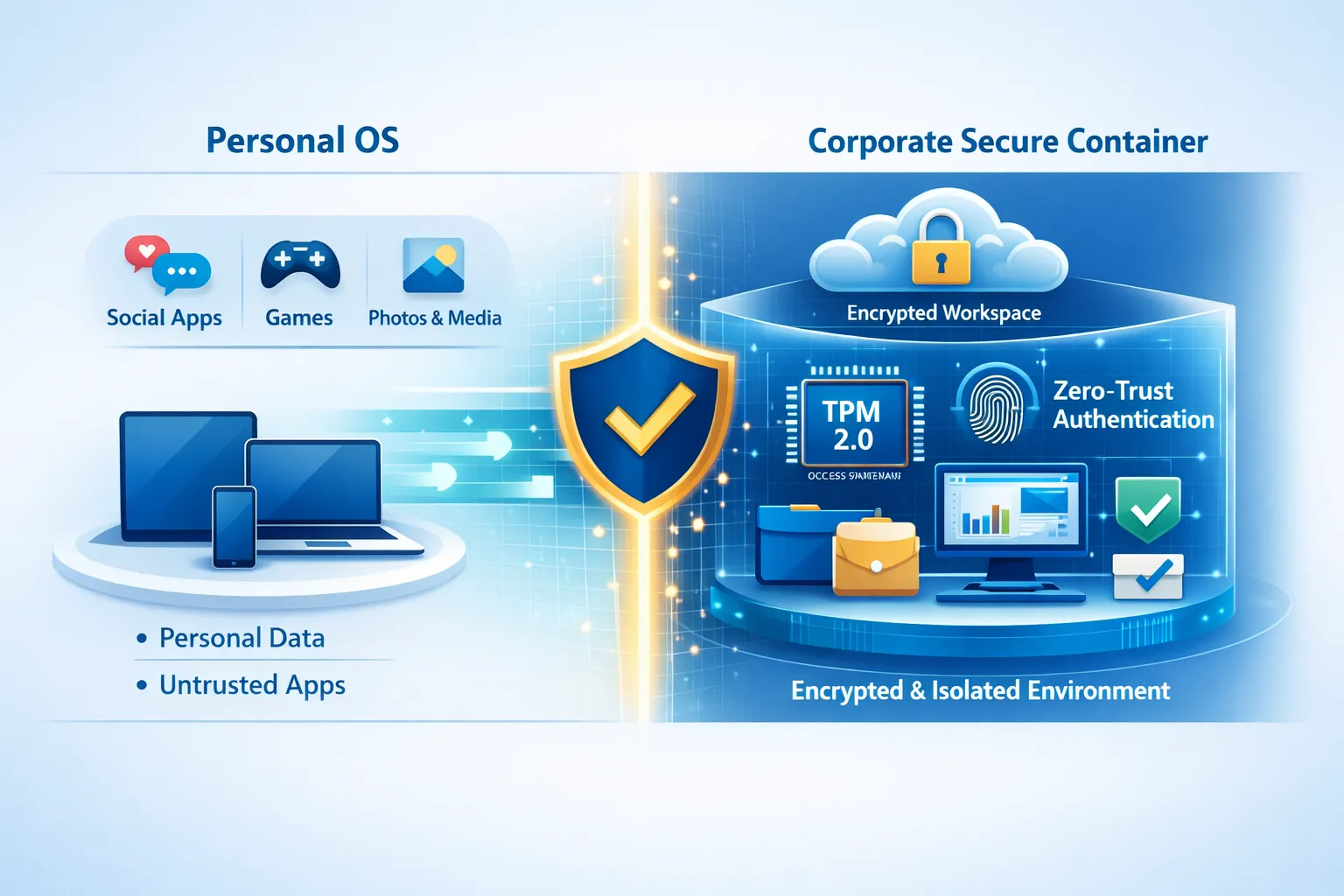
To achieve operational resilience without the logistical nightmare of global shipping, we implement Workplace Isolation.
Secure Enclaves: We deploy a managed layer that creates a secure "container" for corporate data. This ensures that a personal application crash or a local malware infection on the employee's side does not penetrate the corporate environment.
Zero-Trust Access Provisioning: Access to corporate resources is never persistent. It is granted based on real-time health checks of the personal device, ensuring that only "healthy" machines can connect to the technical backbone.
Kernel Integrity & Compliance Monitoring
Even on a personal device, enterprise-grade security must verify the "Root of Trust."
Compliance Gatekeeping: Before an employee starts their day, our proactive agents verify Kernel Integrity. If the device’s operating system has been compromised or if critical security patches are missing, the "Proactive Support" system blocks access and triggers an automated remediation script.
TPM 2.0 Verification: We utilize the device's built-in TPM 2.0 to secure encryption keys, ensuring that even if the hardware is personal, the data remains corporate and immutable.
[Best Practice]: Instead of managing the whole device, focus on managing the "Identity" and the "Work-Container." This reduces liability, respects employee privacy, and eliminates 90% of the driver conflicts associated with traditional MDM.
Self-Healing Infrastructure: The IT Automation Engine
The hallmark of Remotya’s IT automation for distributed teams is the ability for the digital workspace to fix itself. This "Self-Healing" capability is critical when the IT team is thousands of miles away from the user.
Predictive Maintenance: Software-Defined Health
On a personal device, we don't monitor for physical SSD failure as much as we monitor for "System Degradation."
Resource Telemetry: Our agents monitor CPU and RAM usage within the work container. If a memory leak or a rogue background process is detected, the system proactively resets the environment before it causes a "Blue Screen" or an application crash.
Predictive Patching: Rather than forcing updates that cause downtime, our system predicts the best "Silent Window" based on the user's local activity patterns, ensuring Business Continuity.
Agent Health Monitoring & EDR Self-Repair
Security agents (EDR, XDR, VPN) are the most critical—yet often the most fragile—parts of a remote stack.
The Watchdog Protocol: Our infrastructure constantly monitors the "heartbeat" of these agents.
EDR Self-Repair: If an EDR agent is accidentally disabled by a user or corrupted by a personal software update, the system executes an automated EDR self-repair script. It silently reinstalls and re-verifies the agent’s integrity, ensuring your defense remains unbroken without the user ever needing to open a ticket.
Privileged Access Management (PAM) in BYOD
To prevent accidental system corruption, we implement PAM. Even though the employee "owns" the laptop, they are granted administrative rights within the work environment only when necessary.
This maintains a stable, compliant environment and prevents "Configuration Drift."
Strategic Operations: Overcoming the MENA "Downtime Gap"
In complex regions like the Middle East and North Africa (MENA), technical support is an agility game. Global providers fail because they are obsessed with hardware logistics. Remotya succeeds by removing the hardware variable entirely.
Zero-Logistics Deployment: Because we secure the employee's existing assets, we bypass the 3-week customs delays in countries like Syria, Egypt, or Turkey. A new hire is 100% secure and operational in hours, not weeks.
Regional Connectivity Resilience: We provide managed software-defined failover protocols. If a local ISP in a complex region becomes unstable, our technical backbone prioritizes critical work traffic, maintaining a stable connection even over sub-par local infrastructure.
[Important]: In high-growth but complex markets, the ability to onboard a team without waiting for a "laptop shipment" is the ultimate competitive advantage. Speed to market is the highest Technical ROI you can deliver.
The Lifecycle Finale: Advanced Offboarding Security
A proactive model must handle the end of the remote device lifecycle with surgical precision, especially when the device stays with the employee.
The Offboarding Security Workflow
When an employee departs, the "mating" between the personal device and the corporate network must be severed instantly and cleanly:
Selective Cryptographic Wipe: A remote command is sent to wipe only the corporate container and encrypted partitions. The employee’s personal photos and files remain untouched, but every bit of corporate data is rendered unrecoverable in seconds.
Credential Revocation: The Offboarding Security Workflow instantly revokes all PAM, IAM, and SaaS credentials across the entire technical backbone.
Access Blacklisting: The hardware ID of the personal device is blacklisted at the network layer, ensuring that no "ghost access" can occur after the contract ends.
Technical ROI: The Mathematics of Uptime
Scaling a remote team without hardware-dependent IT leads to a massive reduction in CAPEX and a surge in operational velocity.
Reduction in MTTR (Mean Time to Repair): Since we control the "Digital Workspace" and not the hardware, 85% of issues are resolved via a simple "Container Reset" or automated self-healing script.
Global Scaling Velocity: You can onboard 100 employees in 10 different countries simultaneously because you are deploying software, not shipping metal.
Asset Agility: If an employee’s personal device fails, they can simply move to another personal asset, log in, and our system will re-provision their secure workspace in minutes.
[Warning]: The biggest risk in a BYOD environment is "Data Leakage" between the personal and professional sides. A proactive strategy must prioritize Data Loss Prevention (DLP) protocols within the managed container.
FAQ: Advanced Managed IT Operations
How does Remotya secure a device it doesn't own?
We secure the data and the access, not the hardware. By using a managed security layer and encrypted containers, we create a secure tunnel that is independent of the device's ownership.
What happens if the employee's personal laptop gets a virus?
Our Workplace Isolation ensures that the corporate environment is sandboxed. The virus cannot "jump" into the managed container, and our EDR self-repair and monitoring would instantly flag the device as "Non-Compliant" and cut access.
How does "Zero-Touch" work without shipping a laptop?
In our model, "Zero-Touch" refers to the automated provisioning of the security stack. The employee downloads the Remotya agent, and the system automatically configures the firewall, encryption, and applications without any manual IT intervention.
What is the role of PAM in a personal device setup?
Privileged Access Management (PAM) ensures that even if a user is an "Admin" on their personal side, they have restricted, monitored access on the "Professional" side, preventing unauthorized configuration changes to the corporate stack.
How do you handle offboarding without physical recovery?
We use Cryptographic Erasure. Since the data is encrypted with keys managed by Remotya, revoking the keys and wiping the container makes the data disappear instantly, removing the need for physical device returns.